



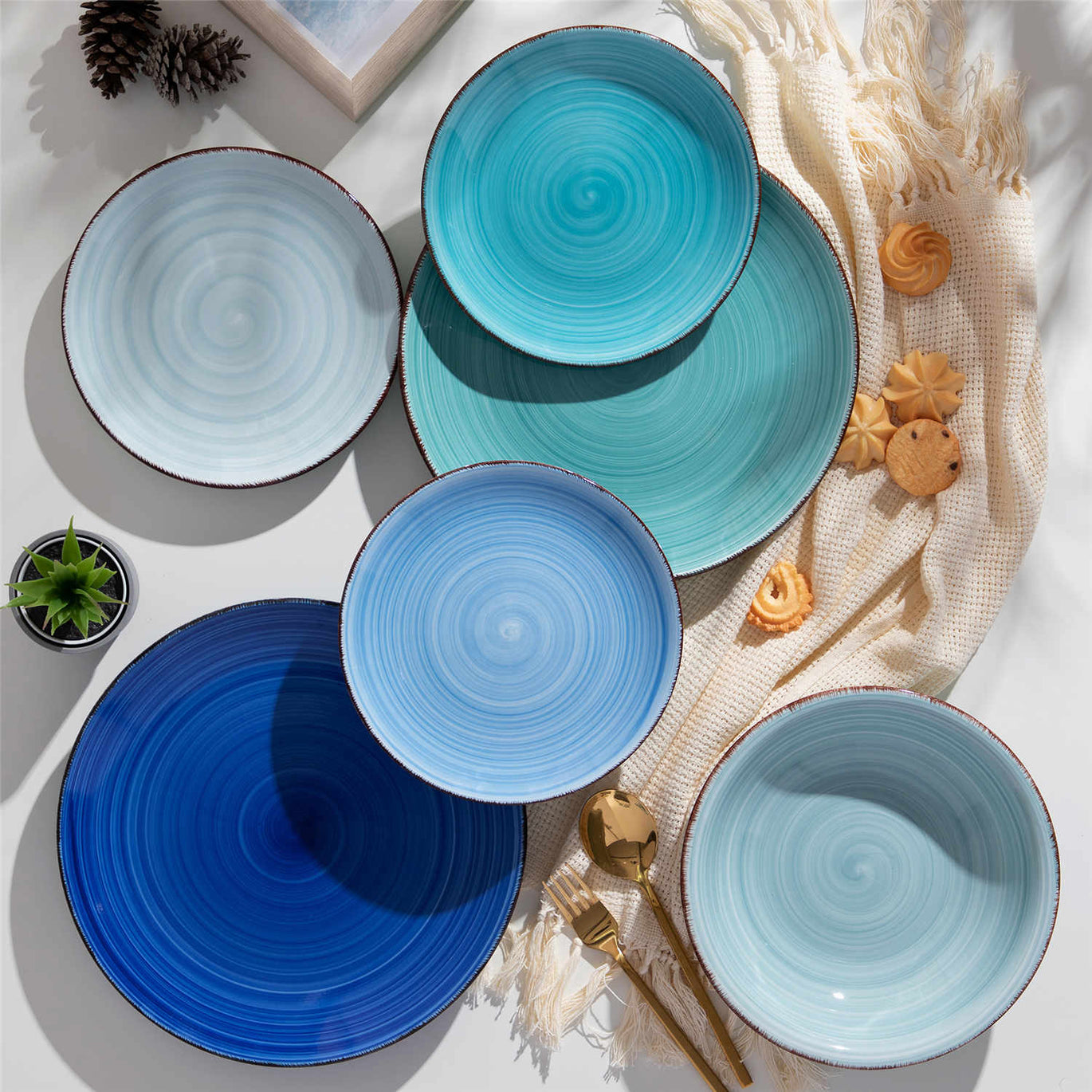


The Future of Cooking with AR‑Enhanced Ceramic Dishes

If you’ve ever plated a citrus-bright salad in a matte sage bowl and felt the whole room lift, you already know the joyful power of color and ceramics. Now imagine that bowl whispering where to grip safely, highlighting the knife’s edge you shouldn’t touch, or coaxing your guests into a story the glaze alone can’t tell. That’s the promise of AR‑enhanced ceramic dishes: the artful warmth of clay meeting the immediate, practical magic of digital overlays. It’s playful. It’s useful. And it’s closer than most kitchens realize.
What AR‑Enhanced Ceramics Actually Are
Augmented reality overlays digital information on top of what you already see, making virtual elements feel anchored to your real table rather than whisking you away to a simulated world. In dining and cooking, this means content appears in the same space as your plate, not in a separate headset-only dimension. Researchers often contrast this “superimposition” with virtual reality’s “transportation” into a separate environment, and that distinction matters because superimposition affects how we evaluate, desire, and interact with food in context, right where it’s plated. Studies summarized by ScienceDirect indicate AR’s strength comes from anchoring imagery in the diner’s space so it feels relevant and easy to judge; WebAR, which runs in the browser without an app, also lowers friction at the moment of choice.
For cooking tasks, AR can be hands-free. A team publishing in MDPI Sensors demonstrated a headset-based cooking guide that recognizes ingredients and anchors step-by-step video instructions within the cook’s field of view. Their prototype ran on a single all‑in‑one device costed around $550.00 as of 2022, which sets a practical baseline for experimentation without building a full smart kitchen.
AR‑enhanced ceramics add a new twist: the plate or bowl becomes the invitation and the trigger. The ceramic object carries the form, color, and comfort you love. The AR layer adds instruction, safety, storytelling, or brand expression—all without stripping away the tactile pleasure of clay, glaze, and heat‑earned patina.

Why Your Plate Is the New Screen
Evidence is stacking that AR shifts how we perceive and choose food. A peer‑reviewed article via the National Institutes of Health reports that showing foods through AR increases desire and purchase likelihood compared with non‑AR presentations, largely because AR makes the item feel more personally relevant and easier to mentally “taste.” ScienceDirect’s analysis of AR in food retail highlights a similar psychological pattern: augmented visuals strengthen mental imagery and lower the effort of evaluation, which matters in categories where returns are rare and regret is real. Given that online food delivery has surpassed $150 billion globally and 2023 revenue projections reached about $910 billion with roughly 20% year‑over‑year growth, even small gains in decision clarity can ripple across the industry.
Beyond appetites and orders, AR helps the hands that cook. In CookAR, an academic project reported via arXiv and the University of Wisconsin’s Madability group, participants with low vision completed free‑form kitchen tasks within three to five minutes while using real‑time affordance overlays—think color‑coded highlights that show where to grab and which zones are hazardous. While both whole‑object highlights and part‑specific affordances had merits, almost all participants preferred affordance‑level overlays when they intended to interact, because coloring the handle differently from the blade made the “how” immediately obvious. The same participants favored whole‑object highlights when they were simply locating something, like a remote, because that view was less distracting.
The CookAR data also give tactical guidance for AR on tableware and tools. Participants gravitated to a mixed design: a solid fill for the safe‑to‑grab area, and an outline for the hazardous area to keep visibility high without drowning the visual field. They accepted two to three colors with ease, warned that more than four becomes distracting, and requested color selections that adapt to the background because low‑contrast kitchens—stainless or black on black—are commonplace. When misalignment or latency made overlays imperfect, a simple colored marker hint still proved helpful. Critically, participants asked for action-aware overlays that change as you move: show both handle and blade at first, then turn off the handle highlight once the tool is grasped. For urgent hazards, all participants preferred auditory warnings over more visuals, suggesting either a short beep or a clear verbal “stop” depending on the scenario, with distinct sounds for different risks.
In short, AR excels when it serves intent. If the goal is using a tool or exploring a dish, highlight the parts and cues that matter. If the goal is finding or previewing, keep visuals broad and light. And if safety is at stake, add sound.
The Artistic Case: Storytelling on Glaze
Ceramics hold cultural stories already; AR can invite your guests deeper into them. Compound Butter profiled chef and ceramicist Jenny Dorsey, who designs plates that come alive in augmented reality. One concept—“That’s Disgusting”—layers audio from diverse voices about foods labeled “gross” in American culture, turning the dish into a graceful yet candid conversation starter. Another sketch envisions a phoenix rising in AR above an edible “cage,” weaving resilience into a course’s arc. The material lessons here are twofold. First, AR can carry purpose beyond novelty, surfacing reflection and memory that glaze alone can’t. Second, the plate remains center stage. Design choices—gloss next to matte, a well‑placed paint splatter—still do the atmosphere lifting, while AR amplifies or clarifies the emotion you intend.

Practical Design Principles for AR Dishes
Designing an AR layer for tableware follows the same rules that make a table sing: clarity, contrast, and flow. Research from the CookAR team offers grounded choices you can adopt today and adapt tomorrow. Use a solid color to indicate where a hand can safely go, and outline hazards so they stay legible without blocking the view. Select colors that pop against the plate and the food; while green for “safe” and red for “danger” are intuitive, the key is contrast and visibility in your actual lighting. Stay economical with hues, because a kaleidoscope distracts. When the cook or diner acts, let the overlay respond—hide the handle cue after the utensil is gripped, or brighten the spout rim as a cup approaches. Layer in sound for truly urgent warnings, and consider voice controls to toggle overlays off when they’re no longer useful.
Outside the kitchen, AR can handle pure delight. ScienceDirect’s review notes that mixed reality can modulate perceived taste and texture by altering luminance or color distributions. This doesn’t swap flavor chemistry, but it shapes expectation and attention in ways that guests find engaging. Used thoughtfully, a plate can cue not just where to hold a utensil, but what story to notice first.
Building an AR‑Ceramic Setup at Home or in a Test Kitchen
You don’t need a lab or a warehouse of hardware to play with AR on ceramics. A smartphone‑based WebAR experience removes app‑download barriers and can be enough for menus and at‑table previews, as highlighted by ScienceDirect and Program‑Ace. For hands‑free cooking, a head‑mounted unit like the one in the MDPI Sensors study anchors instruction in your field of view; as a starting point, the cited headset’s cost—around $550.00—makes it feasible for pilot programs, culinary classes, or advanced home cooks.
Start with the ceramic you actually love to use. Standard dinner plates measure about 10 to 11 inches, which leaves comfortable staging room for overlays without crowding the rim. If you plan to place an AR marker on the vessel, test different locations that don’t interfere with plating—underside stamps, foot rings, or peripheral motifs can all serve, as long as the camera can see them when needed and they don’t fight your aesthetic.
Then tend the material the way any good host does. Guidance from HF Coors and AD Middle East emphasizes that handwashing with mild soap extends the life of ceramics, even when a piece is technically dishwasher safe. Dry fully with a soft cloth to avoid water marks and micro‑abrasion. Avoid sudden temperature shocks—don’t move dinnerware straight from the refrigerator to a hot oven, or from the dishwasher into cold water. Let pieces come to room temperature first so the body and glaze aren’t stressed. Store with care in a dry, dust‑free space, ideally upright. If you do stack, interleave with felt, paper towels, or soft foam to keep glazes from kissing under weight. For day‑to‑day use, choose wooden, silicone, or plastic utensils over metal on glazed surfaces to avoid gray marks and scratches; if marks appear, Elfinview’s guidance suggests a gentle baking‑soda paste to lift them without harsh abrasives.
When AR joins the party, add a few tech‑aware habits. Test visibility under your actual lighting, especially if your tabletop runs dark or reflective. Confirm that any decorative metallic accents won’t be microwaved, and check manufacturer guidance before using high heat. If an overlay occasionally lags or misaligns—as CookAR’s participants observed with heavy computer‑vision models—fall back to simpler cues. A single colored circle that appears near a safe grab point can be enough, and it gives you a graceful fail‑safe while you refine the experience.

The Payoff and the Trade‑Offs
AR on ceramics is not just gimmickry; strong signals across research and industry show solid benefits. In kitchen trials with low‑vision participants, affordance overlays helped people work faster and more confidently with tools. In dining rooms and on screens, superimposed models reduce evaluative uncertainty and heighten desire by making dishes feel personally relevant; that matters in a massive online food economy where decisions are often final. On the brand side, WebAR menus, animated labels, and interactive packaging reframe marketing as play, while data‑rich overlays can educate without crowding a plate with text. Program‑Ace’s review and industry blogs point to staff training, safety prompts, and quality‑control workflows as additional operational wins.
There are limitations. Precise segmentation of object parts in real time still flickers, particularly on headsets under motion, and over‑colorful visuals distract rather than help. Content creation is real work; high‑quality 3D and approachable UX don’t appear by magic. Program‑Ace’s guidance flags compatibility, privacy, and upkeep as practical hurdles, while CookAR’s findings remind us that not every task benefits from the same overlay. The trick is editorial: choose moments where a nudge changes behavior or deepens delight, and keep everything else quiet.
Use Cases You Can Try Now
Inclusive cooking is a natural first move. If someone in your household has low vision, try overlays that mark where to hold a pot handle safely, outline the hazard area on the knife, and provide a short audio cue if a hand drifts toward a blade. According to CookAR’s data, this kind of affordance‑level highlighting is especially helpful during manipulation, while whole‑object highlighting is better for finding items.
For hospitality, turn a plating into a narrative. Take a tradition from your family table and pair the course with an AR clip or audio reflection that invites guests into the meaning behind the dish. Compound Butter’s profile of Jenny Dorsey’s work illustrates how a ceramic surface can be a portal into identity and empathy without becoming kitsch.
On the brand and retail side, create WebAR previews that let diners see a dish to scale in their space, or scan packaging for sourcing stories, allergen flags, and quick tutorials. ScienceDirect notes that WebAR reduces effort expectancy since there’s no app to install, while the NIH‑published research and related reviews in ScienceDirect connect richer mental imagery with stronger purchase intention. Once comfort grows, extend AR to back‑of‑house training: a short overlay that anchors the knife angle for julienne, or step‑by‑step plating guides that keep a new line cook on tempo.
If you already teach or host at home, try a headset‑free hybrid. Run a browser‑based experience on your guests’ cell phones so they can peek into an animated garnish or toggle nutrition notes on demand. Keep it optional so the table stays human, and curate just one moment per course to avoid distraction.

Care and Durability When Tech Meets Table
Ceramics are generous companions so long as we honor their physical nature. HF Coors and specialty retailers emphasize gentle cleaning and dry storage, and AD Middle East offers a simple maxim: temperature shocks are the enemy of longevity. Let plates warm or cool gradually. If a piece chips, a food‑safe ceramic epoxy can rescue a sentimental bowl for display; retire anything with structural cracks from food use and repurpose it for florals or keepsakes. As for routine friction, silicone or wooden utensils keep glazes smooth, and when you must stack, slip a soft separator between each layer. Typical dinner plates at 10 to 11 inches are large enough to accommodate AR markers and overlays while leaving comfortable eating space. Pair those proportions with lighting that flatters both glaze and screen, and you’ll keep the tech invisible until the exact moment it’s welcome.

A Simple Roadmap for Designers and Owners
You don’t need to reinvent your operation on day one. Program‑Ace’s recommendations and ScienceDirect’s insights into adoption suggest piloting a narrow use case first—one course, one training step, or one packaging scan. Favor cross‑platform WebAR for guest‑facing moments to minimize friction. Invest where it counts: high‑contrast visuals and legible 3D, including clear color choices against your actual plates and foods. Build for privacy and accessibility, adding voice toggles and audio cues for critical steps—just as CookAR’s participants requested. Integrate with operations incrementally: start with a single plating guide or allergen overlay, then measure concrete metrics such as guest satisfaction, remake rates, training time, or add‑on sales. Iterate quickly, and resist the urge to augment everything. The most joyful tables know when to leave room for conversation.
Pros and Cons at a Glance
What AR Adds to Ceramics |
Current Limitations and Risks |
Contextual visualization of dishes that raises desire and purchase intent (NIH‑published research; ScienceDirect). |
Real‑time part segmentation can flicker or lag; overlays may misalign during head movement (CookAR). |
Safer, more confident tool use with affordance‑level guidance; faster task completion for low‑vision users (CookAR). |
Overly busy visuals distract; more than four colors becomes confusing; not all tasks need augmentation (CookAR). |
WebAR menus and packaging reduce friction, inform choices, and deepen brand storytelling (ScienceDirect; Program‑Ace). |
Content creation, privacy compliance, device compatibility, and upkeep add ongoing costs (Program‑Ace). |
Hands‑free step‑by‑step cooking and ingredient recognition with a single headset around $550.00 (MDPI Sensors). |
Hardware budgets and training still apply; headset comfort varies by user (MDPI Sensors; Program‑Ace). |
Emotional narratives layered on plates—audio, animation, cultural context—without losing ceramic warmth (Compound Butter). |
Editorial discipline required; message must serve the meal, not overshadow it (Compound Butter; ScienceDirect). |
A Short FAQ
What’s the difference between AR and VR at the table? AR places digital cues onto your real dish and tools so you make decisions in context; VR transports you elsewhere. Research summarized by ScienceDirect and NIH‑published work shows AR’s superimposition strengthens mental simulation and eases evaluation, which is why it’s so effective at mealtime.
Do I need a headset to start? No. WebAR on a cell phone is enough for previews, labels, and at‑table stories, as noted in ScienceDirect and industry reviews. If you want hands‑free cooking guidance, MDPI Sensors describes a single‑device headset approach suitable for pilots and classes.
Can AR actually make cooking safer? It can help. CookAR reports that highlighting “grabbable” handles in one color and outlining hazardous areas like hot or sharp surfaces in another helped participants with low vision interact more confidently. For acute risks, participants preferred a brief audio warning over extra visuals.
What colors should I use for overlays? Green for safe and red for hazards are intuitive, but CookAR’s participants emphasized contrast against your actual background as the priority. Choose hues that pop on your plates and in your lighting, and keep the palette minimal to reduce distraction.
How do I care for AR‑enhanced ceramics? Care for the ceramic as you would any cherished dinnerware. Handwash with mild soap, dry fully, avoid abrupt temperature changes, interleave stacks with soft separators, and favor silicone or wooden utensils. HF Coors and AD Middle East both underscore that these habits extend the life and beauty of your dishes.
Closing Spark
AR‑enhanced ceramics let you choreograph joy with both glaze and glow. Keep the clay’s character, add just‑in‑time guidance or story, and let your table hum with color and clarity. That’s not tech for tech’s sake—that’s a brighter, safer, more soulful meal.
References
- arXiv (CookAR: Affordance Augmentations in Wearable AR for kitchen tools)
- Madability, University of Wisconsin (CookAR project notes)
- MDPI Sensors (Augmented Reality Based Interactive Cooking Guide)
- National Institutes of Health (From tablet to table: how AR influences food desirability)
- ScienceDirect (Playing with Food: the effects of AR on meal perceptions; AR/MR review in food)
- Program‑Ace (Augmented Reality in the Food Industry review)
- Compound Butter (Plugged in Plates profile of AR ceramics by Jenny Dorsey)
- HF Coors (Ceramic dinnerware care guidance)
- AD Middle East (Expert tips for caring for dinnerware)
- Saje Rose and Elfinview (Practical ceramic care and maintenance insights)
- https://pmc.ncbi.nlm.nih.gov/articles/PMC9792938/
- https://madability.cs.wisc.edu/wp-content/uploads/sites/2288/2024/10/CookAR-compressed.pdf
- https://arxiv.org/html/2407.13515v1
- https://www.researchgate.net/profile/Chil-Woo-Lee-2/publication/221565696_Augmented_Reality_Cooking_System_Using_Tabletop_Display_Interface/links/5506a1d00cf231de077829af/Augmented-Reality-Cooking-System-Using-Tabletop-Display-Interface.pdf
- https://www.admiddleeast.com/story/caring-for-dinnerware-sets-10-expert-tips-to-keep-your-plates-looking-good-for-longer
- https://www.carawayhome.com/blog/ceramic-plates-ideas
- https://cookinggods.com/augmented-reality-guides-modern-cooking-made-easy/
- https://blog.csconnect.com/posts/ar-in-food-industry
- https://smart.dhgate.com/elevate-your-special-occasions-expert-tips-for-using-ceramic-tableware-with-style-and-elegance/
- https://www.elfinview.com/care-for-ceramic-tableware/
Tu pourrais aussi aimer
Stern Ensemble de vaisselle 16 pièces
- À partir de €67,95
€90,95- À partir de €67,95
- Unit price
- pour
-
Blue
-
Green
-
Red
-
Grey
Bonita Service de table 18 pièces
- À partir de €56,95
€70,95- À partir de €56,95
- Unit price
- pour
-
Blue
-
Multicolor
Simi Ensemble de vaisselle de 24 pièces
- €90,95
€121,95- €90,95
- Unit price
- pour
Service de vaisselle étoilé 16 pièces
- €69,95
€81,95- €69,95
- Unit price
- pour
-
Blue
-
Green
-
Red
-
Gradient Green